Fixed ops managers need reports that reflect how their service department actually operates, not generic numbers that force them to guess, adjust, or recalculate.
Every service department has its own schedule, weekly rhythm, goals, and reporting needs. If reports are based on the wrong open days or the wrong start of the week, the numbers may be harder for managers to evaluate.
That is why smaller reporting features matter.
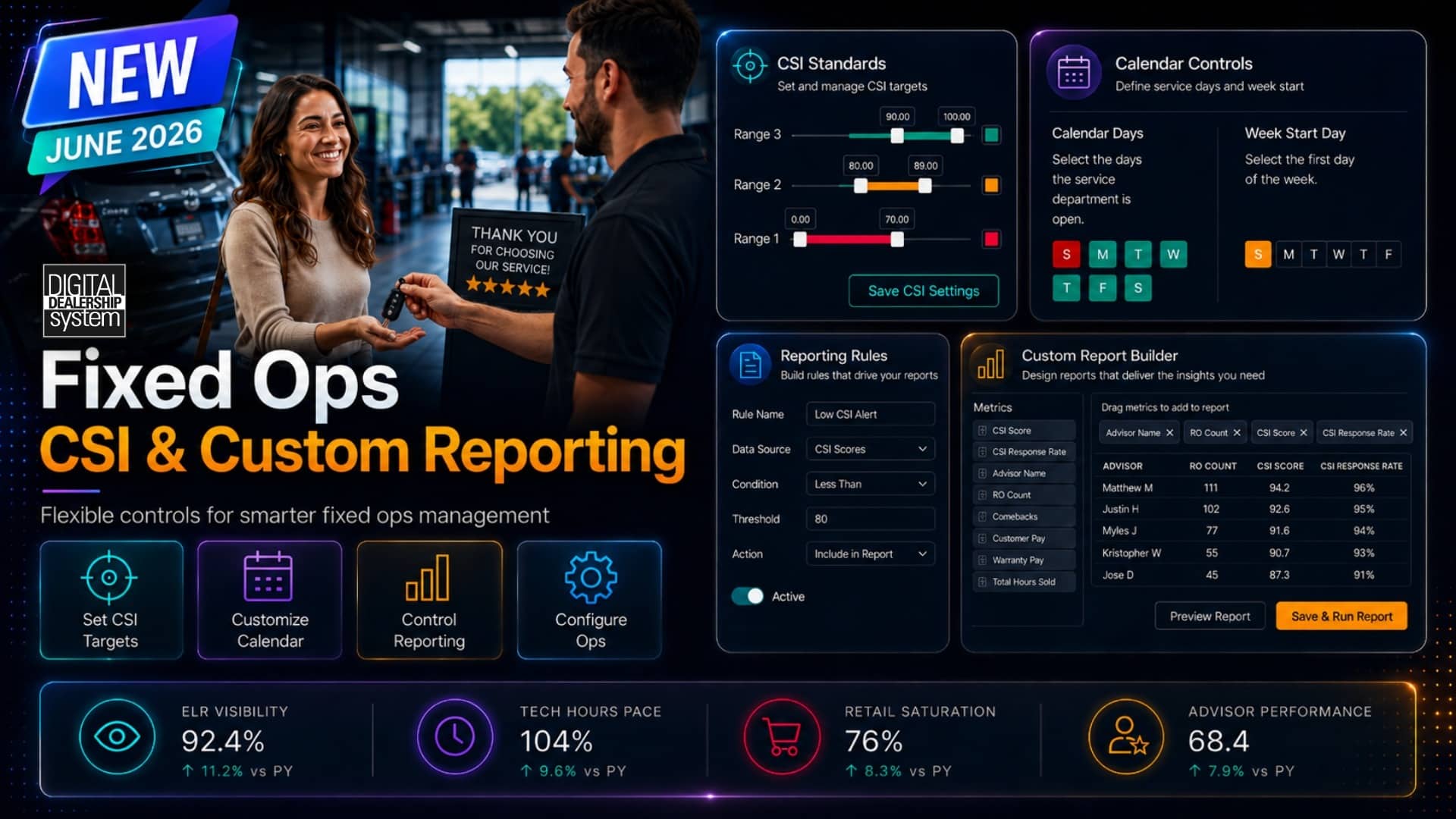
Newly added settings for Calendar Days, Week Start Day, and CSI Detail provide managers with better context for reviewing performance. The goal is not just more data. The goal is clearer data that reflects the real operation.
5 Key Takeaways
Reporting settings affect accuracy.
Small setup details can change how managers read pace, weekly totals, and performance trends.
Calendar Days help reports match the service department’s schedule.
Managers can account for which days the department is actually open.
Week Start Day keeps weekly reporting aligned with the store’s workflow.
This helps reports match team meetings, schedules, pay plans, and internal review cycles.
CSI Detail gives managers another layer of context.
CSI visibility can help leaders connect operational performance with customer satisfaction.
A better setup helps managers make more dependable reports.
When reports reflect how the store operates, leaders can make confident decisions from the data.
Reports Should Match How the Store Actually Runs
No two service departments operate exactly the same way.
Some stores are open five days a week. Others are open six or seven. Some teams review performance Monday through Friday. Others view Sunday as part of the main workweek. Some managers run weekly meetings on Monday. Others review numbers at the end of the week.
Those details matter.
If a report does not match the store’s actual schedule, the numbers can be harder to read. A pace report may look off. A weekly total may not line up with how the manager reviews performance. A comparison may not reflect the real work period.
That creates confusion.
Managers should not have to adjust the report in their head every time they review it. They need reporting that aligns with how their department works.
Fixed ops reporting features help make that possible.
They allow dealerships to set reporting details that align with their actual operations, so managers can review performance with better context and more confidence.
Calendar Days Help Managers Read Pace More Accurately
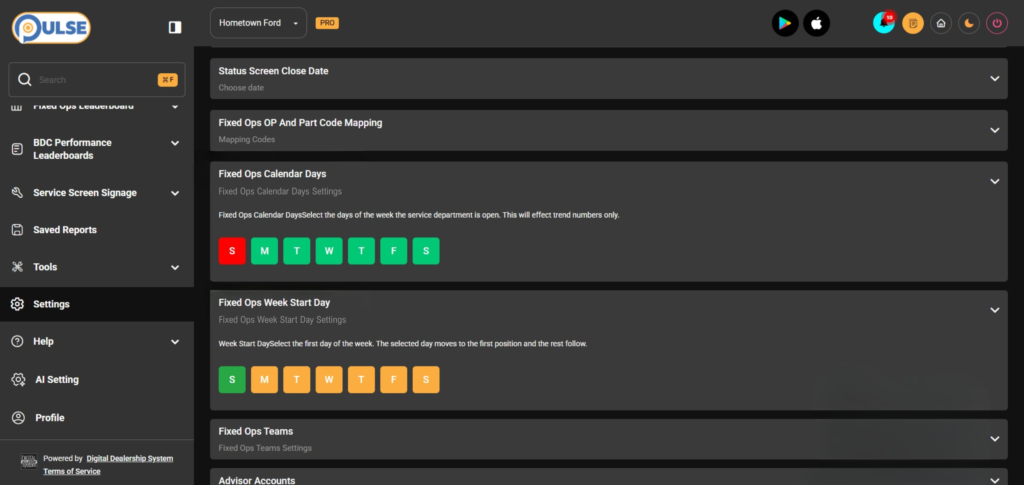
Calendar Days help reports reflect when the service department is actually open.
This determines pace calculations.
A dealership that is open Monday through Friday should not review pace the same way as a store that is open six or seven days a week. The number of working days affects how managers understand performance.
For example, if a service drive is closed on weekends, that should be reflected when the system calculates whether or not the department is on pace. If the report assumes every day is a working day, the pace will be skewed and inaccurate.
That makes it harder for managers to clearly judge performance.
The Fixed Ops Calendar Days setting lets dealerships select which days the service department is open, so reports can match the store’s actual schedule.
For management, that creates a clearer picture.
Managers can review pace with more confidence because the report is based on the days their team is actually working. That makes it easier to understand whether the department is truly ahead, behind, or on track.
Week Start Day Keeps Weekly Reporting Aligned
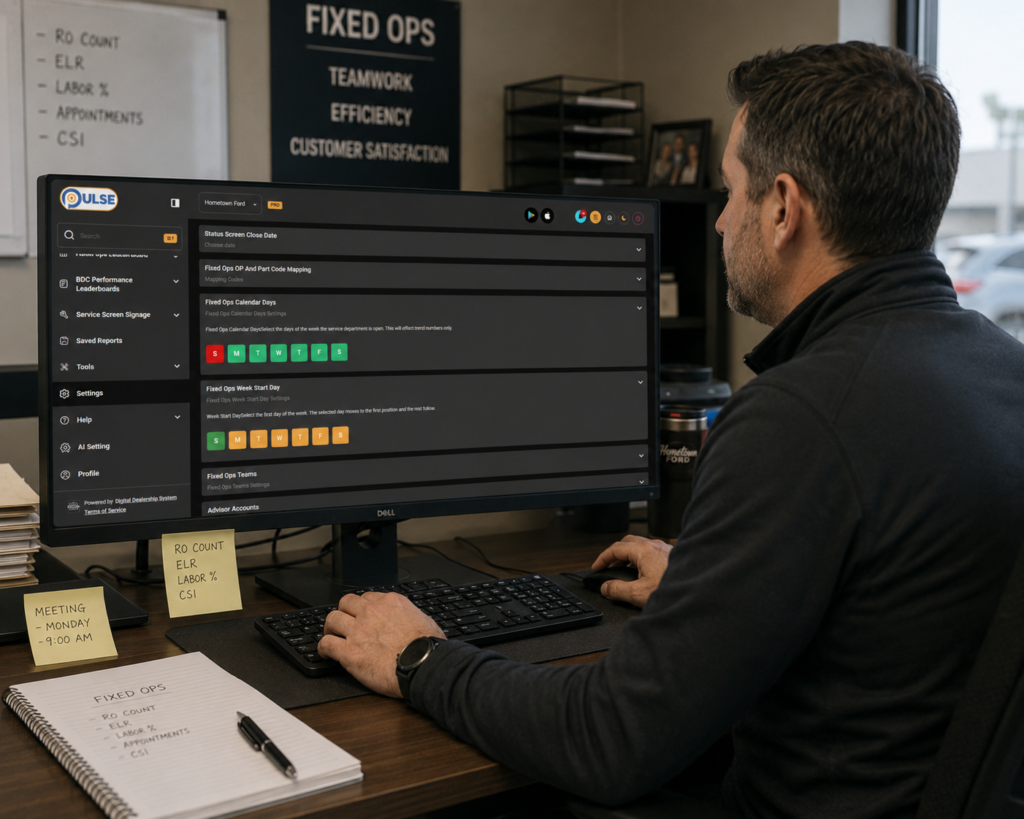
Weekly reporting only works well when the week is defined correctly.
Not every dealership manages a week the same way.
Some stores may want the week to start on Monday. Others may use Sunday. Some managers may want their reporting week to match payroll, team meetings, technician schedules, or internal review periods.
Customizing the weekly cycle allows the dealership to choose which day marks the start of the week for reporting purposes. If the report starts the week on the wrong day, the weekly totals are more misleading than helpful.
For example, if a service manager reviews technician hours every Monday morning, they need the weekly numbers to match that review period. If the system calculates the week differently, the report does not reflect the same timeline the manager uses.
That creates extra work.
The manager may have to explain the difference, recalculate numbers, or pull another report.
When the weekly cycle is set correctly, weekly reporting becomes easier to understand.
Managers can review hours, trends, and performance movements in a way that aligns with their meetings, schedules, and workflows.
That saves time and reduces confusion.
CSI Detail Gives Managers Another Layer of Performance Context
Fixed ops performance is not only about sales, hours, and revenue.
Customer experience matters too.
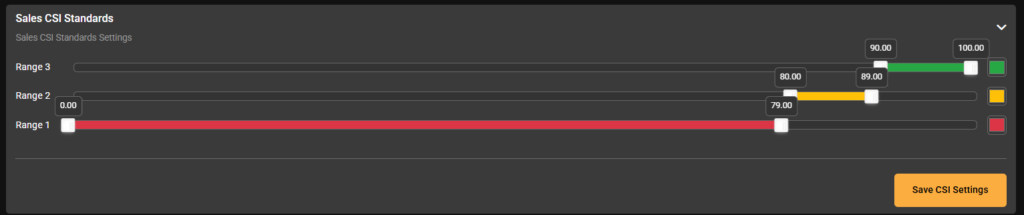
That is where the CSI Detail feature adds value.
CSI gives managers another way to understand how the department is performing. It helps connect operational activities to customer satisfaction, giving leaders a more complete view of the service department’s overall success.
For example, an advisor may have strong sales numbers and a technician team may be putting in efficient hours, but managers may also want to understand how customers are responding to that experience and keep customer satisfaction in mind.
CSI Detail can help managers look beyond production alone.
It adds another layer of context to performance conversations.
That does not mean every coaching conversation should be based only on CSI. But when customer satisfaction data is easier to review, managers can better understand the full picture.
This can help leaders ask better questions.
Are customers satisfied with communication? Are expectations being set clearly? Are advisors creating a better service experience? Are strong performance numbers also supported by strong customer feedback?
For dealership management, CSI Detail helps connect performance visibility with the customer experience.
That makes reporting more meaningful and more complete.
Better Reporting Features Help Managers Make Better Decisions
Fixed ops performance is not only about sales, hours, and revenue.
Customer experience matters too.
That is where the CSI Detail feature adds value.
CSI gives managers another way to understand how the department is performing. It helps connect operational activities to customer satisfaction, giving leaders a more complete view of the service department’s overall success.
For example, an advisor may have strong sales numbers and a technician team may be putting in efficient hours, but managers may also want to understand how customers are responding to that experience and keep customer satisfaction in mind.
CSI Detail can help managers look beyond production alone.
It adds another layer of context to performance conversations.
That does not mean every coaching conversation should be based only on CSI. But when customer satisfaction data is easier to review, managers can better understand the full picture.
This can help leaders ask better questions.
Are customers satisfied with communication? Are expectations being set clearly? Are advisors creating a better service experience? Are strong performance numbers also supported by strong customer feedback?
For dealership management, CSI Detail helps connect performance visibility with the customer experience.
That makes reporting more meaningful and more complete.
Better Reporting Features Help Managers Make Better Decisions
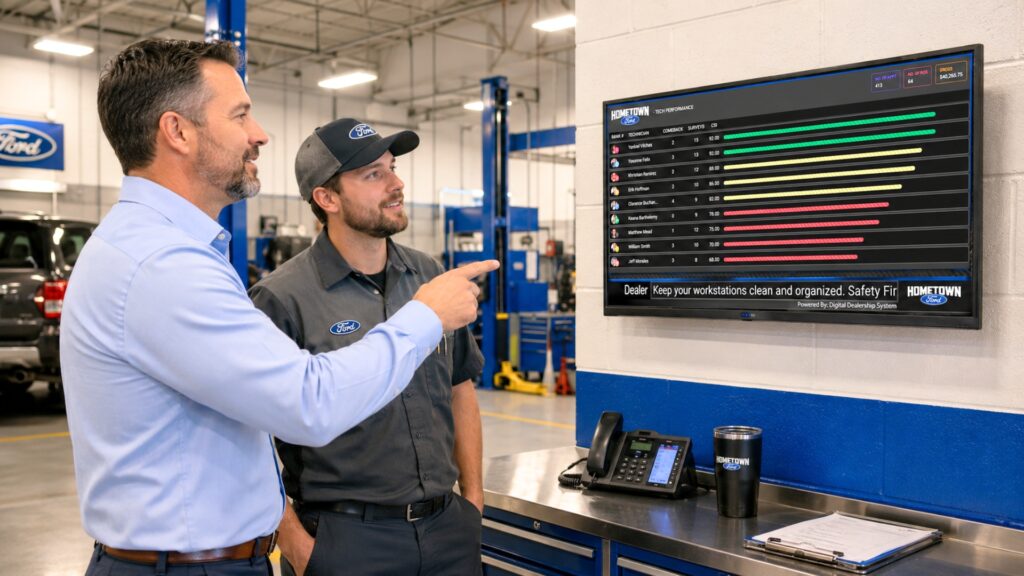
Small reporting features can make a big difference.
Calendar Days, Week Start Day, and CSI Detail may seem like small additions, but they help make the larger reporting system more useful.
Reporting is only valuable when managers can trust it.
If the reports align with how the store operates, leaders can review performance more quickly, with better context, and without the need for additional calculations. They can understand pace more clearly. They can review weekly totals without confusion. They can connect operational results with customer satisfaction.
This combination helps managers make better decisions.
The goal of fixed ops reporting is not to create more work for managers. It is to make performance easier to understand.
Better reporting features help support that goal.
They allow the system to reflect the dealership’s actual schedule, workflow, and management needs.
For fixed ops leaders, that means the reports are not just more detailed; they are also more practical.
Fixed Ops reporting from the Digital Dealership System helps managers track performance based on their unique dealership setup.
Because better reporting is not just about more data. It is about data that managers can trust and use.
Schedule a demo to see how Digital Dealership System helps managers align weekly reporting with their store’s workflow and connect performance data to customer satisfaction.