Many dealerships still juggle whiteboards and manual reports. That slows updates on repair jobs, sales results, and customer requests. Digital Service Boards that integrate with Tekion DMS bring live data to clear, easy-to-read screens.
With live dashboards, managers see what matters right now. Teams receive clear goals and tasks, without waiting for someone to refresh a report.
This article explains Digital Service Boards, how they connect to Tekion Dealer Management System (DMS), and what setup requires. It also covers technical needs, benefits like faster repair management and better analytics, plus simple tips to lift contract sales using cloud tools. Ready to make the shop run smoother? Keep reading.
Key Takeaways
- Digital Service Boards show real-time KPI dashboards and automated screens by linking directly to the Tekion Dealer Management System.
- Successful integration needs compatible software, strong internet, updated APIs, secure logins, and hardware that meets Tekion standards.
- Automatic updates cut manual work. Manager leaderboards and custom views help track performance for stores of any size.
- Cloud syncing improves workflow efficiency, contract tracking, and customer satisfaction scores after rollout.
- Professional installers deliver reliable setup, with ongoing help from both the Digital Dealership System team and Tekion.
What Are Digital Service Boards?
Digital Service Boards are TV or monitor displays that show live dashboards with key performance indicators, called KPIs. These screens help service leaders see progress at a glance and act fast. A KPI is a measurable number, like hours sold per tech or average repair time.
Dealerships use these displays to improve customer updates, sales tracking, and marketing results. Leaderboards highlight top performers, which can boost healthy competition and raise productivity.
Installation from the Digital Dealership System team fits the layout of each store. That might be a single TV at the advisor desk or a full wall of screens. The boards pull data from your DMS and refresh on their own, so the view always matches current work status.
“Dealers see a measurable lift in customer satisfaction scores after adding Digital Service Boards.”
Integration of Digital Service Boards With Tekion DMS
Connecting Digital Service Boards with Tekion DMS keeps operations aligned and simple. It streamlines automation, gives stronger analytics, and supports smoother digital sales and customer relationship management, often called CRM.
How Do Digital Service Boards Integrate With Tekion DMS?
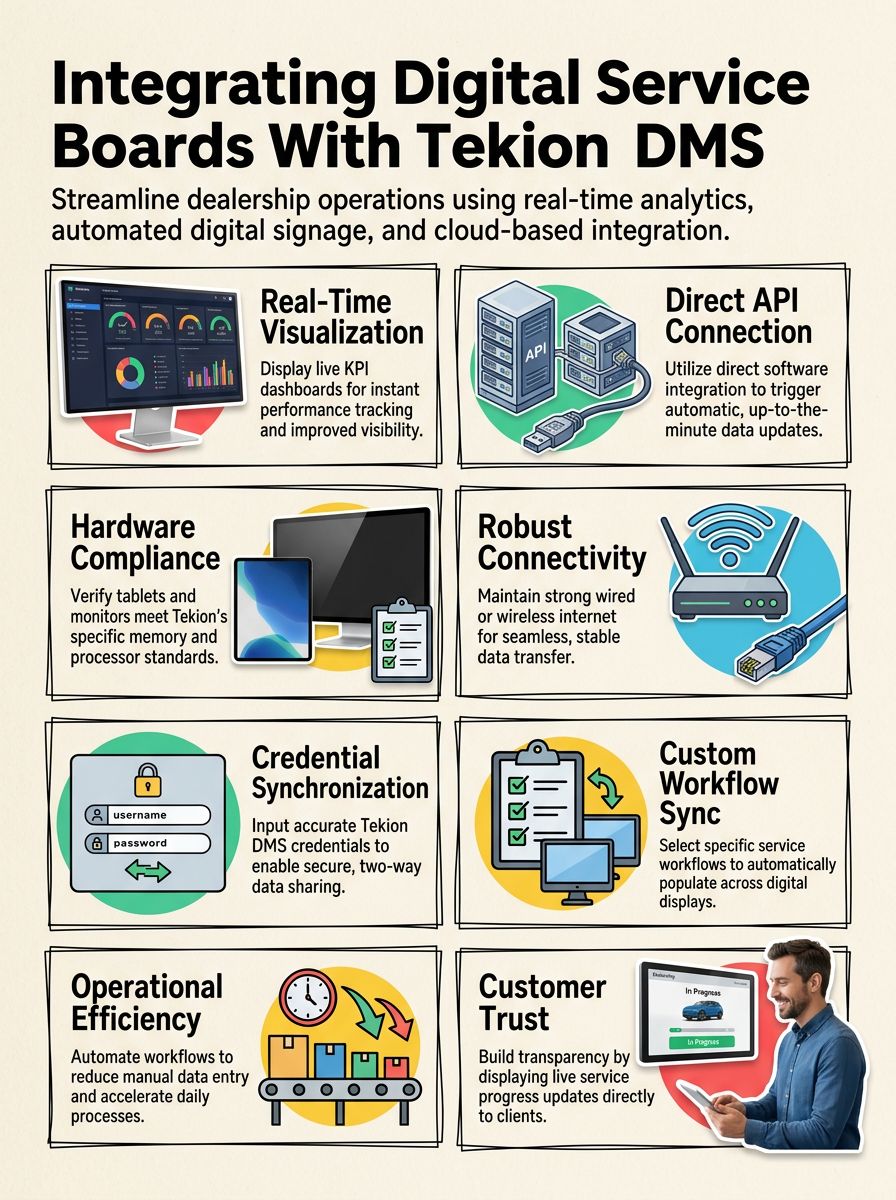
Integration uses a direct software link between the board software and Tekion. The boards receive live data from the DMS, then show up-to-the-minute service status, sales figures, and KPIs across the showroom and service lanes.
Updates happen automatically, so staff do not push buttons or reload screens. Stores choose what to display, like advisor leaderboards, active repair orders, or customer satisfaction results by department. One small store might place a single screen up front. Larger groups can run a network across several rooftops for side-by-side comparisons.
Every display helps leadership watch critical numbers while improving transparency for the whole team and customers waiting for their vehicle.
What Are the Technical Requirements for Integration?
Once the link method is clear, the next step is making sure the tech is ready. These items help the system run fast and stay secure.
- Software versions must be compatible on both sides. Keep the Digital Service Board app and Tekion DMS updated and approved.
- APIs, short for Application Programming Interfaces, must be enabled and secure. They allow safe, real-time data flow between systems.
- Strong, stable internet is required across the store. Use reliable wired or managed Wi-Fi to avoid delays or lost data.
- Devices like TVs, tablets, or PCs need to meet Tekion’s minimum memory and processor specs to render data quickly.
- Consistent user interface design across systems reduces training time. Staff should move between screens without confusion.
- Regular maintenance and security patching keep software healthy. Follow Tekion’s recommended update schedule.
- Network security, including firewalls and encryption, must be in place before syncing any customer or payment details.
- Access control with secure logins is essential. Limit sensitive features to authorized roles only.
- Current documentation, including integration guides from Tekion, speeds setup and helps with future fixes.
- Active support contacts from Tekion and the display vendor provide quick help for configuration or outage recovery.
How to Set Up the Integration Step-by-Step
With tech needs in place, connecting the systems is straightforward. Follow this checklist to finish setup with confidence.
- Confirm compatibility between your Digital Service Board software and Tekion DMS. Verify versions and basic settings.
- Collect API credentials, such as keys and passwords, for both platforms. Store them securely.
- Open the Digital Service Board app and find the integration settings section for DMS connections.
- Enter Tekion DMS credentials carefully. Double-check each field to avoid sync errors.
- Choose which service workflows to sync, and pick the data to show on each screen layout.
- Test with sample records. Watch data move into Tekion and back to confirm both directions work.
- Review any alerts or error logs. Fix issues before rolling out to all departments.
- Train advisors and managers. Show where live updates appear and how to read the boards.
- Contact support from either partner if syncing stalls or if advanced filters need tuning.
Once everything is stable, roll out to more screens. Add views for service, sales, and parts as needed.
What Are the Benefits of Using Digital Service Boards With Tekion DMS?
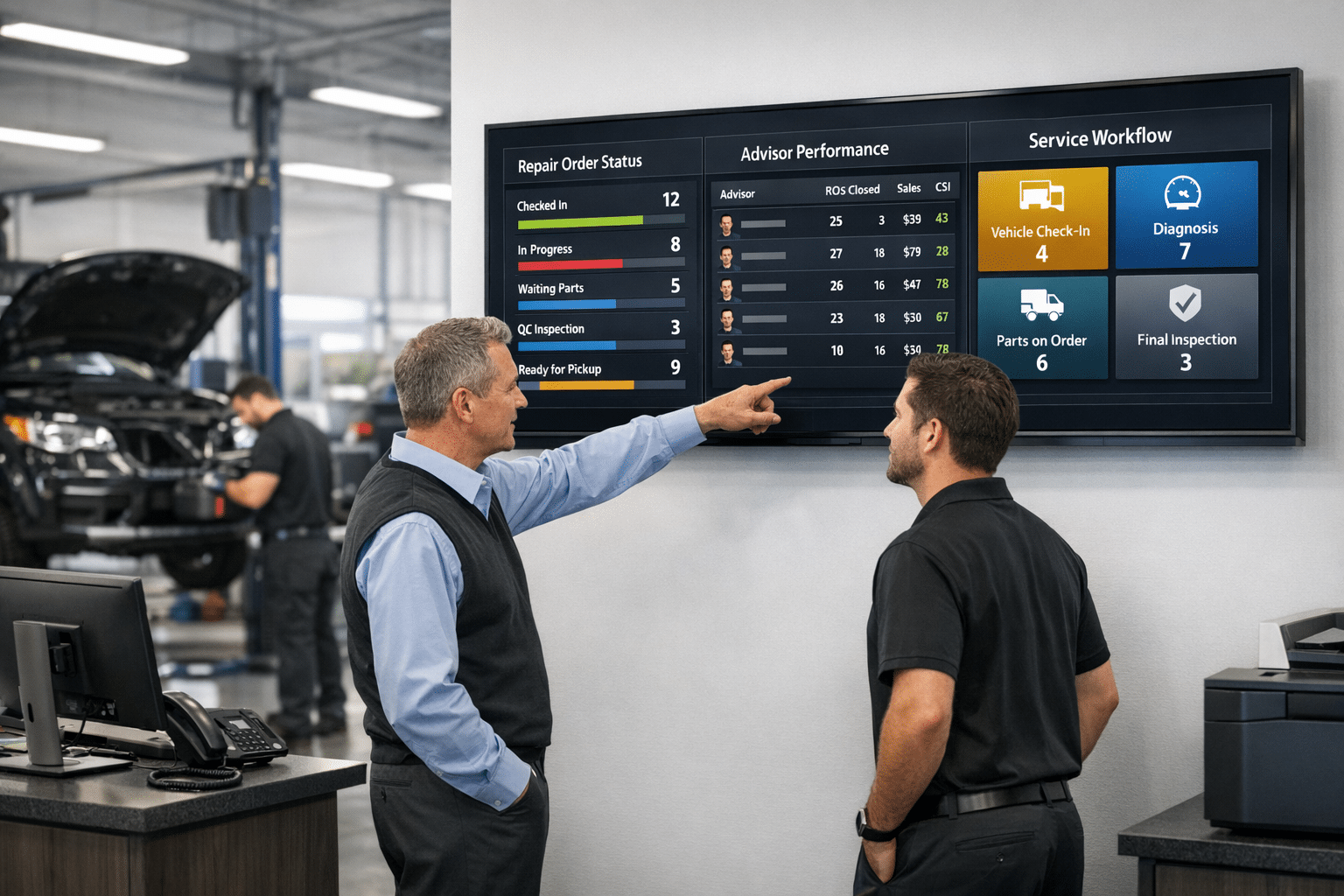
This setup gives managers a clear view of daily operations. Live KPI dashboards on bright displays show repair status, parts delays, and advisor performance without hunting through reports.
Automatic updates free staff from manual tracking. Leaderboards make goals visible, which often lifts productivity and morale. Each store can tailor what shows on screen to match budget, layout, and team workflow.
The direct link to Tekion speeds tasks and cuts keystrokes. That saves time each day and reduces errors. Professional installation supports clean wiring, stable mounting, and consistent screen quality across the building.
Customers also feel more confident. Clear updates in the lounge help set expectations and reduce calls asking for status. For example, an advisor can point to the board and show where a vehicle sits in the process, from check-in to final wash.
Conclusion
Bringing Digital Service Boards and Tekion DMS together creates a faster, clearer operation. Teams gain live views of sales, repairs, and customer feedback, all synced through cloud technology.
Flexible layouts fit any store size and scale as business grows. Strong analytics guide better decisions, while the link to Tekion supports quick, accurate repair management.
If the goal is better visibility and smoother workflow, this integration delivers. Ready to modernize the service lane and retail floor? Book a quick demo and see how the setup can support your dealership’s next step.
FAQs
1. What are digital service boards that integrate with Tekion DMS?
Digital service boards, such as interactive workflow displays and real-time status monitors, connect directly to the Tekion Dealer Management System. These solutions streamline dealership operations by syncing repair orders, technician assignments, and customer updates in one unified platform.
2. How do integrated digital service boards benefit my dealership?
Integrated digital service boards improve communication between advisors, technicians, and customers. They reduce manual data entry errors while providing instant visibility into job progress; this leads to faster turnaround times and higher customer satisfaction scores.
3. Are these digital service boards secure for sensitive automotive data?
Yes; leading providers use advanced encryption protocols along with strict access controls to protect all information flowing through the Tekion DMS integration. Your dealership’s confidential records remain safe from unauthorized access at every stage of the process.
4. How can I get started with a digital service board for my Tekion DMS system?
Contact our certified installation team today or visit our website for a personalized demo tailored to your business needs. Our experts will guide you through setup options so you can experience seamless integration without disrupting daily operations—unlocking new levels of efficiency right away!