Many dealerships lose hours to old software and manual updates. Managers see missed leads and slow tracking while nearby rivals move fast with digital tools and stronger dealership management.
Outdated spreadsheets drain money and morale. Staff retype data instead of serving customers on the lot.
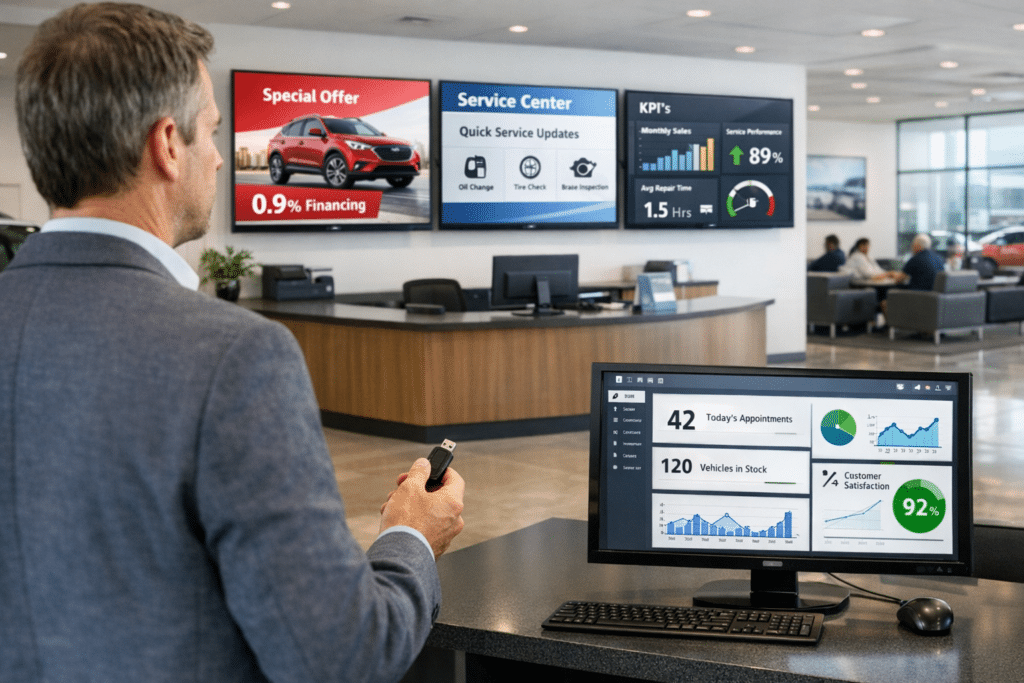
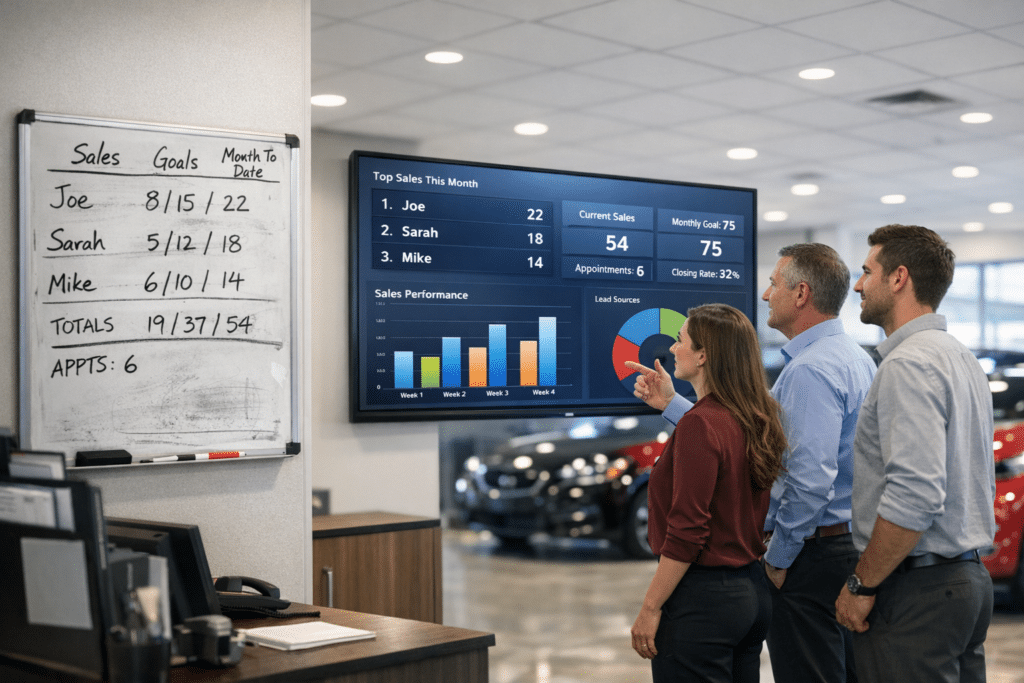
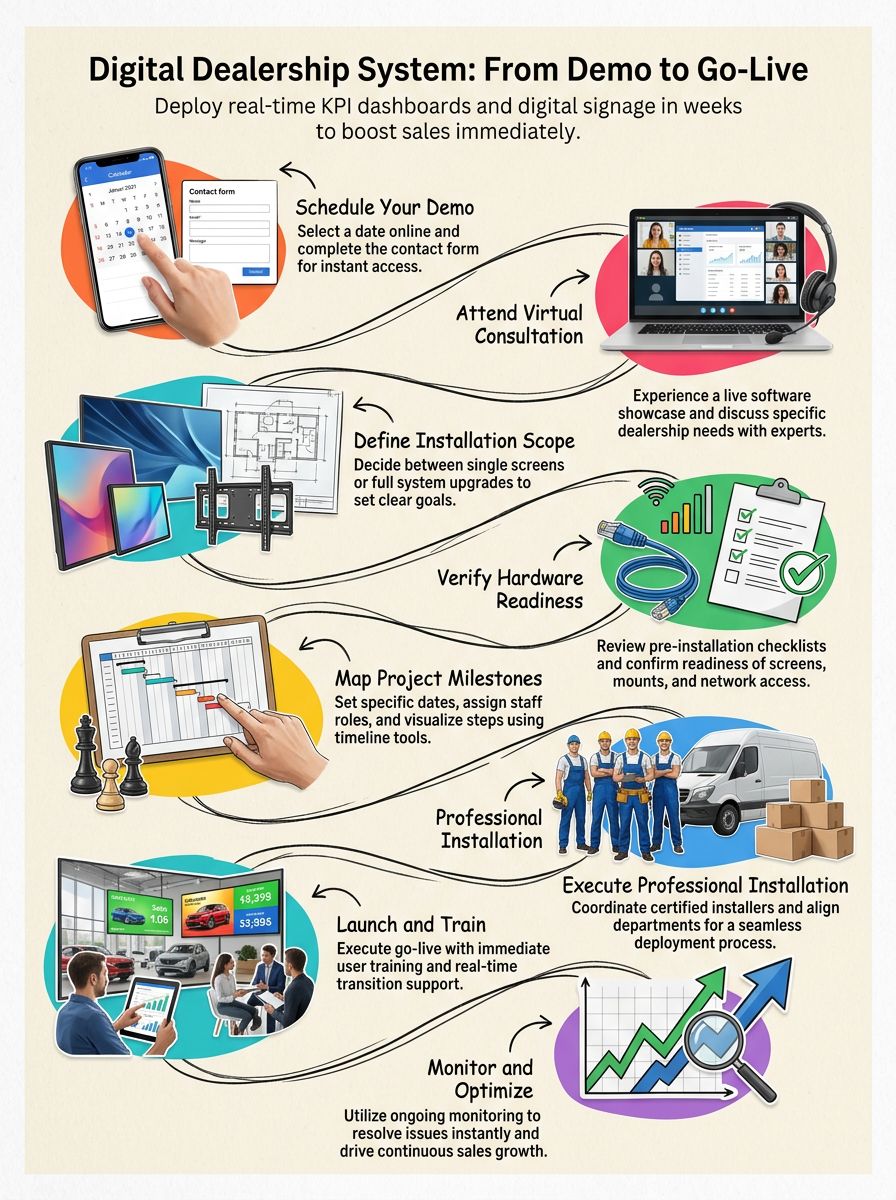
Digital Dealership System sets a clear Digital Dealership System Installation Timeline: From Demo to Go-Live. Real-time KPI dashboards, a live scorecard of key performance indicators, digital signage, TV screens that share offers and updates, and simple business intelligence, data turned into clear reports, roll out in weeks, not months, then start boosting sales right away.
This guide walks through every step for a faster switch to modern tools that work as hard as the team does. Keep reading to see how simple going digital can be.
Key Takeaways
- Digital Dealership installs KPI dashboards and digital signage in weeks, which cuts downtime compared to long, traditional upgrades.
- Demo scheduling is quick online. Teams get a custom tour with expert Q&A before any commitment.
- Strong planning uses checklists, budget alignment, and cross-team communication to avoid delays or surprise costs.
- Go-live includes a guided rollout, on-the-spot training, remote support, and active monitoring for a smooth start.
- Switching to Digital Dealership speeds ROI with clearer performance metrics and easier business intelligence integration.
How do I schedule a demo for a digital dealership system?
Old sales tools slow the team and eat into profit. New, digital-first stores move faster with clean reports and fewer clicks.
Digital Dealership offers a fast, integrated path built for results. Here is how to schedule a demo in minutes:
- Visit the Digital Dealership website, then select the “Schedule Demo” option at the top of the home page for instant access.
- Pick a date and time with the smart calendar so it fits your busy day.
- Complete a short form with your name, store details, email, and phone. This helps the team prepare a customized virtual meeting.
- Watch for an email confirmation with all demo details, including links for video or phone access, a full product tour from anywhere.
- Join an engaging walkthrough. Experts show live features, real screens, and common use cases for sales, service, and leadership.
- Ask questions during the session. Presenters explain user experience and highlight benefits for your specific goals.
- Request a trial or follow-up if you want hands-on time after the tour. The team will arrange next steps quickly.
Ready to upgrade? Book a product tour now and see how a modern platform improves speed, reporting, and team focus.
Installation planning and preparation
Strong planning sets the pace for the Digital Dealership System Installation Timeline: From Demo to Go-Live. Good prep prevents delays, speeds automation, and helps the team get value from digital signage and KPI dashboards on day one.
Below are the steps that make setup smoother and faster.
What steps are involved in preparing for installation?
Many stores still juggle old software and scattered spreadsheets. That mix slows decisions and leads to missed sales. A proven plan keeps work on track and the budget in check.
Follow these steps to prepare for a smooth Digital Dealership System installation:
- Define scope. Decide if you need one screen, several areas, or a full platform upgrade. Clear goals prevent surprises later.
- Complete the preinstallation checklist with the Digital Dealership team. Confirm screens, mounts, cables, media players, network ports, and user access.
- Hold a customization review. Approve layouts, colors, data feeds, and any showroom display needs before build-out starts.
- Align the budget with features and add-ons. Planning costs early avoids delays and change orders.
- Coordinate dates with certified installers who follow industry standards and complete work quickly.
- Verify every component before shipping using the provided verification list. Catching gaps now saves time on install day.
- Confirm the implementation strategy, from delivery to go-live support. A shared plan improves teamwork across both groups.
- Coordinate across departments so each role is clear, including sales leaders, IT, and showroom staff.
Want to move faster than legacy systems allow? The Digital Dealership process delivers value on a tight timeline with expert support at each step.
How do I create an effective installation timeline?
Missed deadlines and scattered tasks can stall any upgrade. A simple, visible plan keeps everyone aligned and the project moving.
- Set clear milestones for each phase and add target dates so progress is easy to track.
- Use a shared timeline tool to map steps from demo to go-live. Keep all teams in sync.
- Assign people early. Owners for each task prevent confusion and missed handoffs.
- Break large jobs into smaller actions. Prioritized tasks make it easier to stay on schedule.
- Block calendar time for key prep work and installs. Do not leave critical steps for later.
- Schedule regular check-ins with your partner to surface roadblocks before they grow.
- Confirm all hardware and accessories arrive on site before install begins. Missing gear can stall the whole project.
- Arrange real-time support for launch week. Digital Dealership keeps technicians ready to help.
- Compare methods. Paper lists and manual updates invite errors. An integrated system shortens downtime and raises efficiency.
- Choose a provider focused on ROI and smooth workflow coordination. Digital Dealership’s integrated tools do both.
Every day stuck on old processes is a day of lost opportunity. A clear timeline turns setup into speed, not stress.
What happens during go-live execution and support?
Without a plan, launch week can feel messy. Paper logs, siloed software, and guessing games lead to lost sales and frustrated teams.
Competitors using integrated tools move faster. Delayed updates and repeat errors can snowball into upset customers and missed targets.
The Digital Dealership approach is different. Go-live becomes a guided rollout from trained experts. Each user gets quick, hands-on training at the moment it matters.
Active transition support is available in real time, not days later by email. Continuous monitoring flags issues early so nothing cuts into business flow. Feedback from staff feeds right back into improvements.
“Digital transformation is not about technology—it’s about delivering value at speed.”
This approach keeps the change simple. Teams stay productive, leaders get clear data, and technical issues are handled before they affect revenue.
Conclusion
Old systems hold dealerships back with slow installs and manual work that waste time and money. Teams struggle to track real results and stay focused on customers.
More stores now use digital signage and KPI dashboards to pick up speed and see what is working. Digital Dealership brings business intelligence, from lead generation to reporting, into one platform that fits single rooftops and larger groups.
Setup moves quickly from demo scheduling through installation with low downtime and strong remote support. Dealers see faster results, better performance tracking, cleaner process optimization, and new ways to grow revenue without extra stress.
Ready to leave the past behind? Visit Digital Dealership today to see how upgrades happen fast and hassle free, from the first demo to go-live day.
FAQs
1. How long does the digital dealership system installation take from demo to go-live?
The timeline for a digital dealership system installation, starting with your initial product demonstration and ending at full go-live, usually ranges from two to six weeks. This period covers site assessment, hardware delivery, software configuration, staff training sessions, and final quality checks. Each step is designed to ensure seamless integration into your current operations.
2. Who manages the installation process of the digital dealership system?
A certified project manager oversees every phase of your installation journey. Our technical team coordinates directly with your in-house IT professionals or facility managers to handle all logistics—scheduling site visits, confirming equipment compatibility, and providing ongoing updates until you reach operational status.
3. What support do I receive during and after my digital dealership system goes live?
Throughout setup and beyond launch day, our dedicated support specialists remain available by phone or online portal for troubleshooting or guidance on best practices. You benefit from comprehensive onboarding resources as well as access to continuous software updates that keep your solution running smoothly.
4. Why should I choose this digital dealership system over others on the market?
Our platform stands out due to its rapid deployment schedule; robust security protocols; user-friendly interface; and proven track record across hundreds of dealerships nationwide. Choosing us means investing in reliability backed by industry certifications plus responsive customer care teams ready when you need them most… Contact us today for a personalized consultation tailored specifically for your business needs!